Company Settings
You can change your company settings by clicking on your company name in the top right corner and selecting Company Settings in the drop-down menu.
Company details
-
The Company details can be changed by clicking Edit in the section My company details.
-
Here you can change name, contact information, default currency, default payment terms, default delivery terms and Preferred language.
-
Your company profile is created as a partner on equal terms with any other partner. Therefore, there are fields that are not relevant to your own company, eg Invoice Action.
-
You can also add tags to your business. Read about tags.
Remember to click Save.
My certificates
You can add a certificate to your company, for example an organic certificate.
-
You can add a new certificate by clicking Add Certificate.
-
A pop-up window will appear. The certificate inspection body is a partner on equal terms with any other partner. If you have already added the certificate body to your partners, you can write a part of the name and select the certificate body among the names that emerge. If you have not already added the certificate body click on the +-symbol. As a minimum fill in the name and country of the new partner and click Save.
-
Fill in the fields with information about the certificate reference (document number) and the date of issue, validation and expiration of the certificate.
-
If the certificate is publicly available, you can link to the certificate in the Certificate url field.
-
Click Save to add the certificate.
My locations
You can add several locations (addresses) to your company in the same way you add locations to your partners. Locations can be head office, different departments or different warehouses.
-
Click Add location.
-
As a minimum fill in the location name and country.
-
Click Save.
Orders
Actions
In Company Settings > Orders you can now choose which buttons to display as primary, regular or hidden buttons.

Basic settings for master data
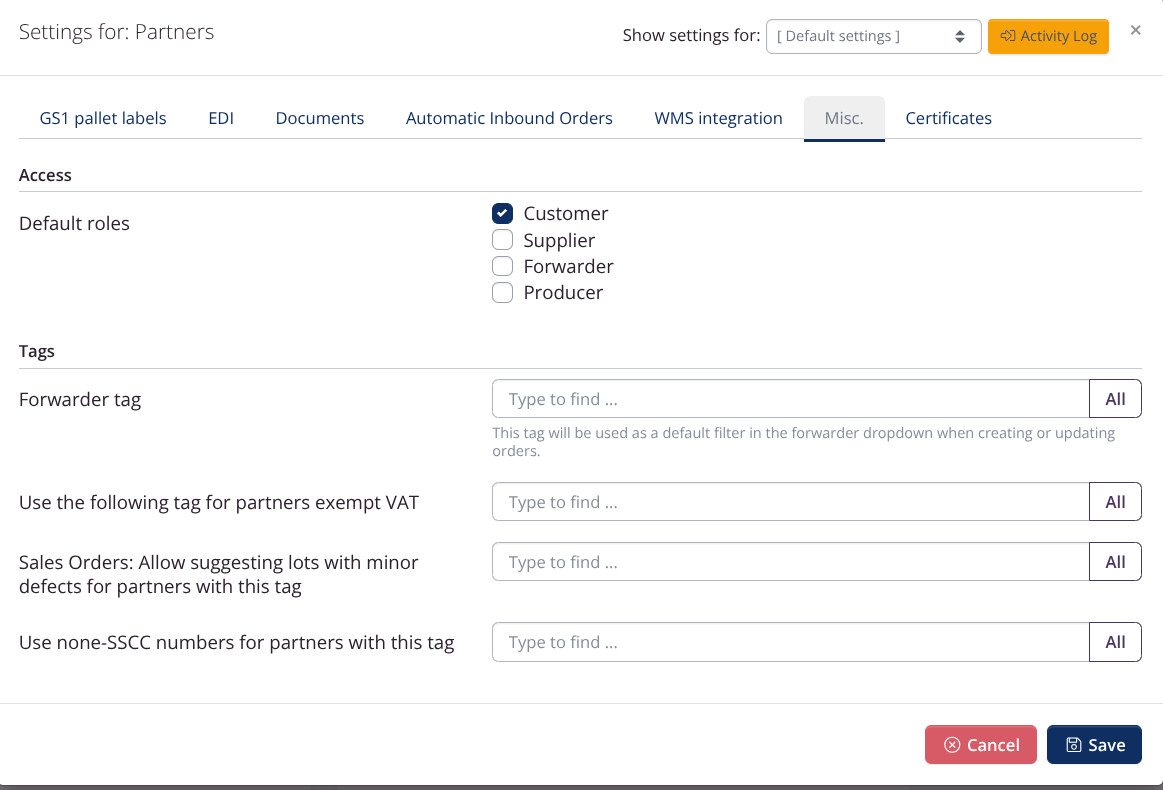
These basic settings are available for Stock Keeping Units, Partners and Price Lists.
- In the SKU-settings you can, among other things, activate attributes for SKUs and choose whether salt should be displayed in grams or milligrams in nutrition labels.

-
There are, among other things, default values for new stock keeping units and default roles for new partners.
-
You can also activate attributes for item types before you can use them for stock keeping units.

</picture>
Inventory
There are several settings for batches, which you can find under Misc. > Inventory.
You can, among other things, set settings to require that the batch number and expiration date are added to a lot before it can be approved.
You can also choose which batch statusses that should be sellable.
Other Company Settings
In other tutorials, you can learn about:
- Integrations
- Company profile and membership
- Certificates
- How to create a company
- Languages
- Settings regarding VAT, taxes and fees
- Ledger rules
- Subscription
- Tags
- Stock Keeping Units (SKU)
- Recipes
- Document settings and logo
- Translations
- Order settings